iPhone & iPad
Safari
- Open app.dollero.app in Safari.
- Tap the Share button.
- Choose Add to Home Screen, then tap Add.
Free during beta
See where your money goes, plan for what's ahead, and feel confident about your finances.
No credit card required.
How it works
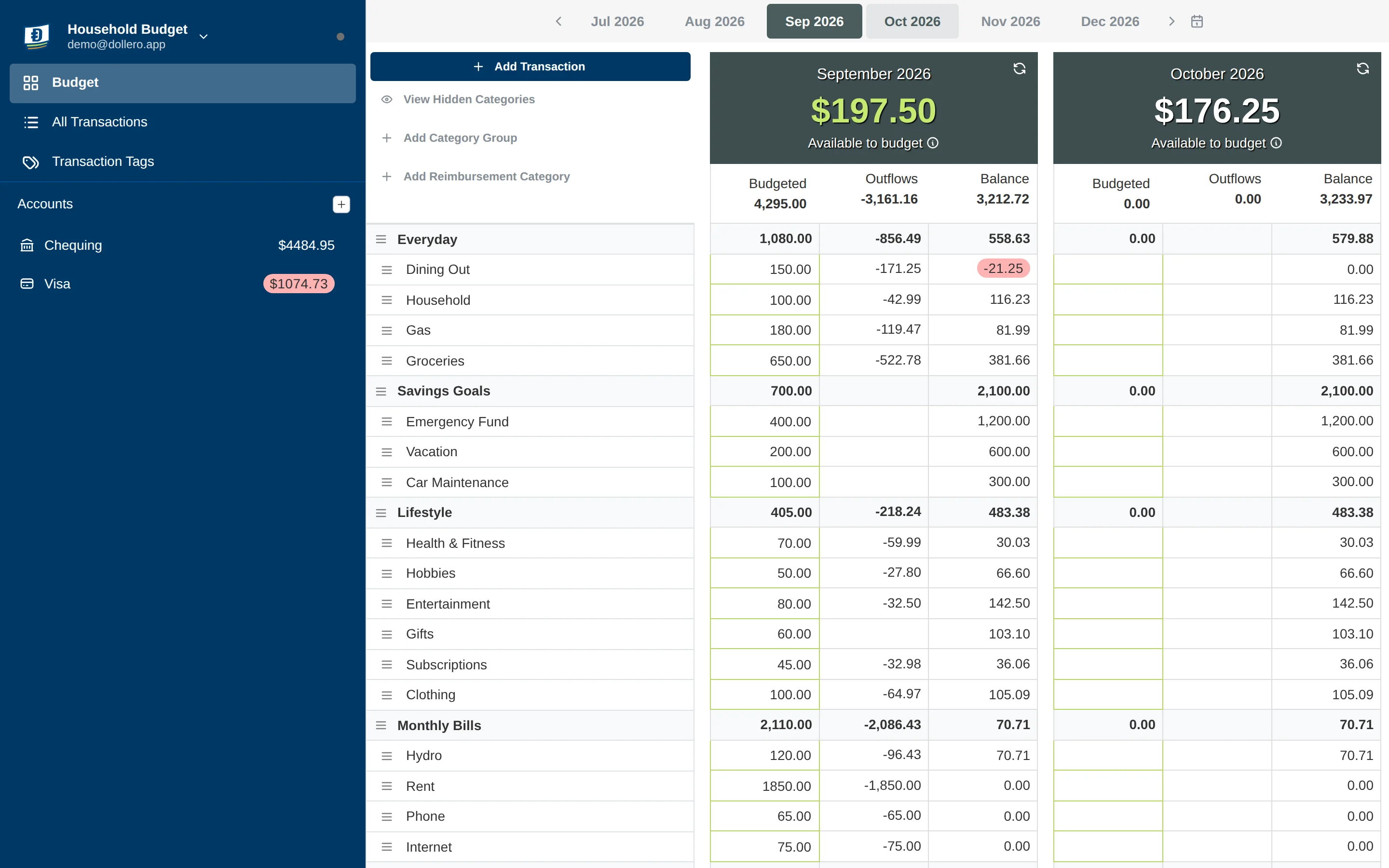
Chequing, savings, credit cards and loans, each with its starting balance. Or import your budget from YNAB.
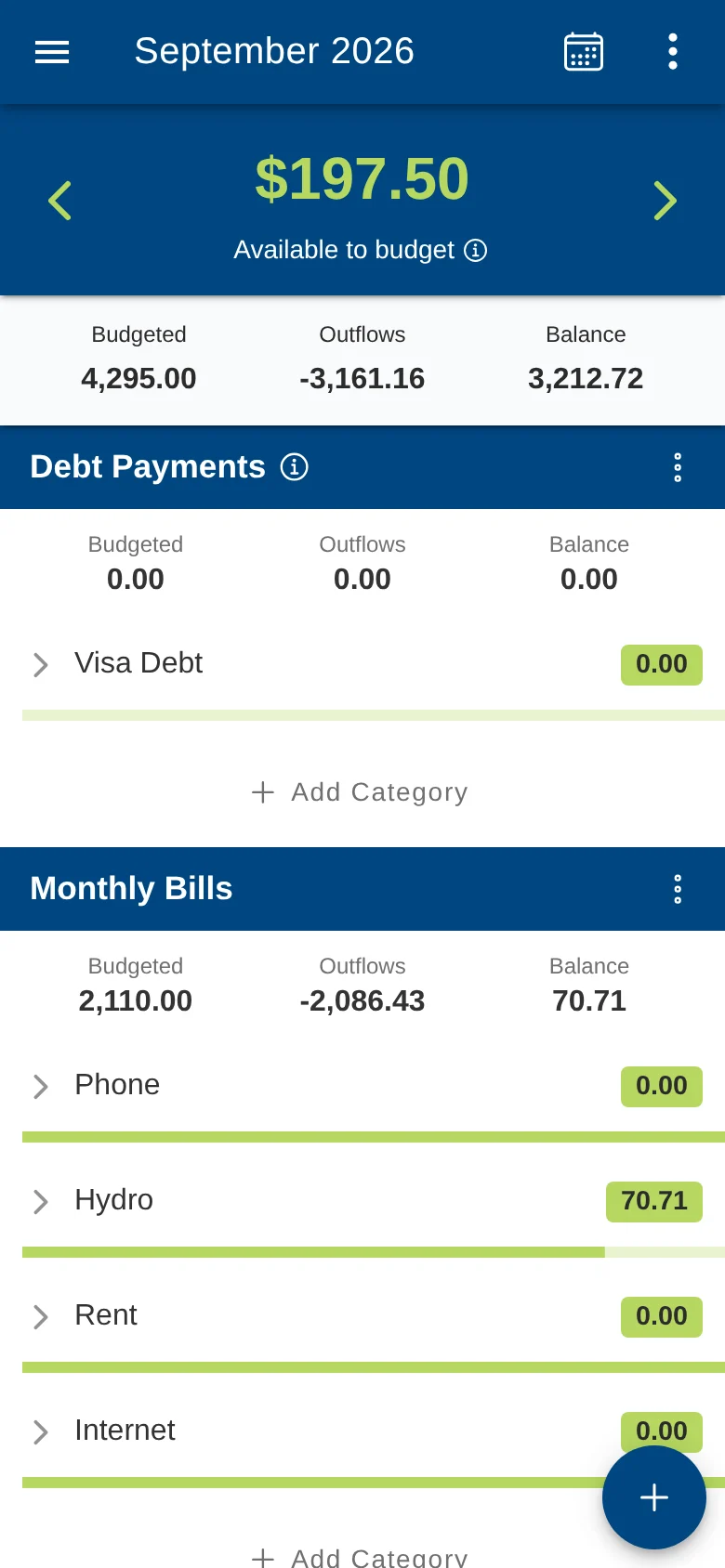
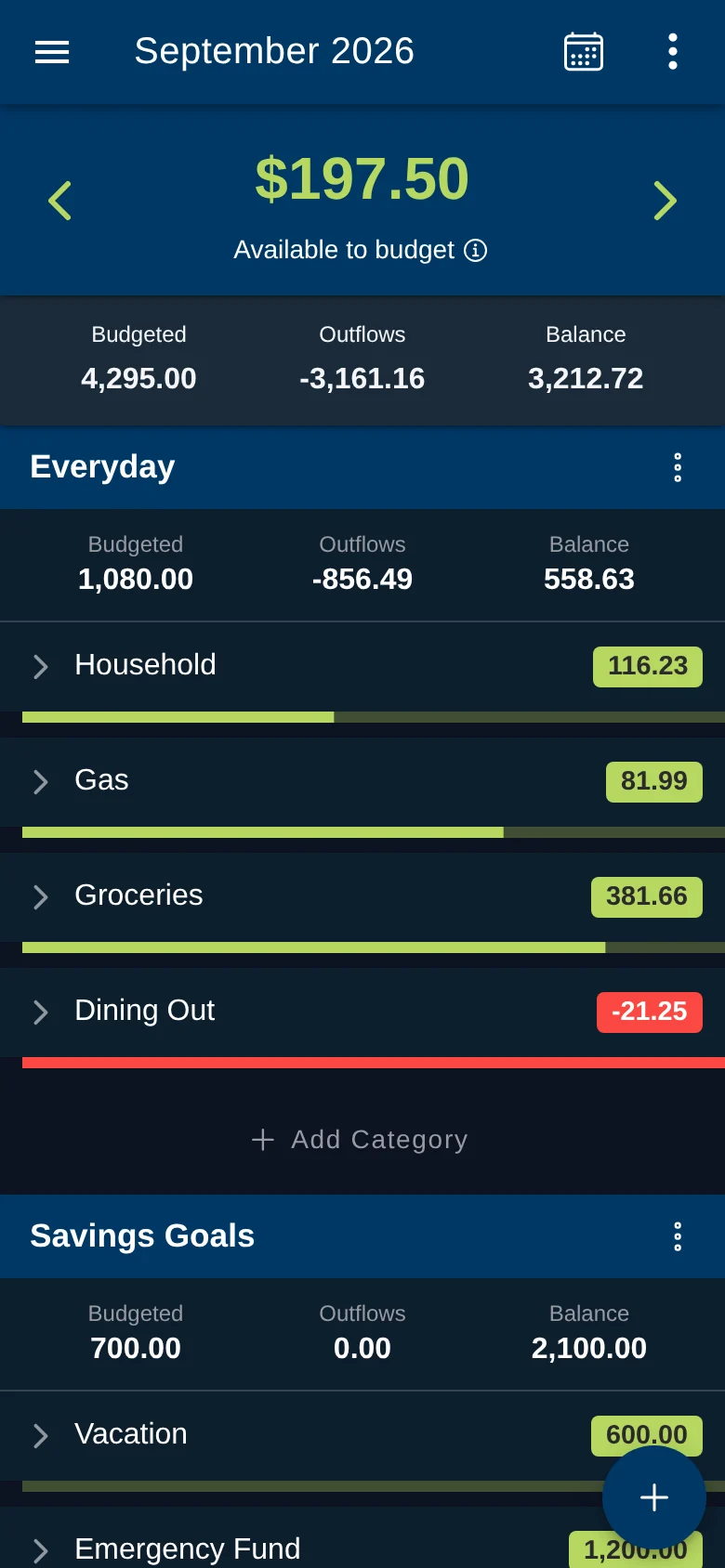
Move money from Available to Budget into categories before you spend it. Unspent balances roll into next month.
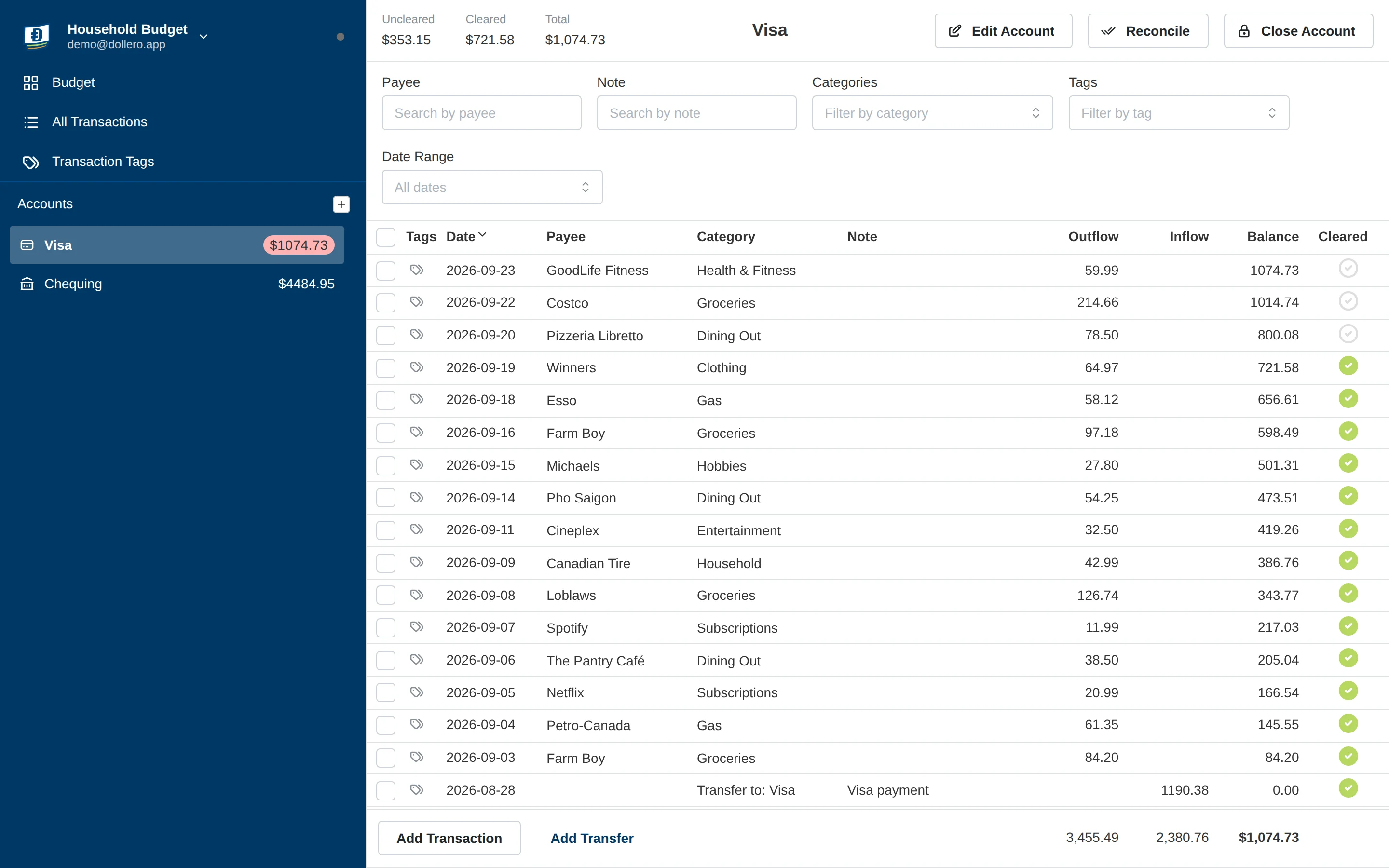
Enter spending as it happens, then reconcile each account against your bank statement.
Features
Built on real double-entry accounting, so every transaction balances and every account adds up.
Fund categories ahead of time. Overspending and rollovers carry forward automatically.
Plan several months side by side on larger screens.
Split one purchase across categories, and move money between accounts.
Mark transactions cleared and match your balance to the bank's.
Tag transactions across categories, then filter by tag to see everything for a trip, project or event.
Bring your budget over from YNAB, and export a full backup whenever you like.
Keep separate budget profiles for home, a side business or a trip.
Invite your partner or household and budget together from your own devices.
Budget together
Invite your partner and set up a shared budget for the income and bills you split. Each of you keeps a personal budget for your own money, so you plan the big things together while everyday spending stays in your own budget.
Personal
Transfers Alex's share to the shared budget
Shared
You both see and edit it
Personal
Transfers Sam's share to the shared budget
Send an invite from Household Members in the app menu. Everyone uses their own login on their own devices.
Transfer money from a personal budget to the shared one, or back again, and both budgets stay balanced.
Hides personal budget data from other household members.
On every screen
Budget, track spending and reconcile accounts from your computer or your phone. The layout adapts to the screen you're on, and your budget stays in sync between them.
Install
Dollero is a web app you install straight from your browser. There's nothing to download from an app store, and updates arrive automatically.
Safari
Chrome
Chrome or Edge
FAQ
Dollero is free during the beta. Pricing may change in the future.
Yes. Create an account and sign in on each device, and your budget syncs between them. Turn on end-to-end encryption in Settings so the server only stores data it can't read.
Yes. After the first visit Dollero works fully offline, and any changes sync the next time you're connected.
You can import a budget from YNAB using its CSV export. Bank file import is on the way. Join the newsletter to hear when it ships.
No, and you don't need one. Dollero installs straight from your browser on iPhone, Android and desktop. See how to install it.
Yes. Invite them from Household Members in the app menu, then create a shared budget for joint income and bills. You can each keep a personal budget too, and move money between budgets with a transfer.
Free during the beta, private, and ready to use in your browser.
Join the free beta