Couples budgeting · Option 3
Proportional contributions
Each of you keeps your own paycheque and pays your share of the household bills into a joint account. Whatever is left is yours.
How it works
Add up the bills you share: the mortgage or rent, utilities, insurance, groceries, the car. Then split the total between you, either 50/50 or in proportion to income. Each payday, you both move your share into a joint account, and the shared bills come out of it. Everything else, including your personal savings, stays in your own account.
Splitting by income keeps things fair when one of you earns more. Alex earns $4,500 a month and Sam earns $3,000, so Alex brings in 60% of the household income and covers 60% of their $4,000 in shared bills: $2,400 to Sam's $1,600.
Is it right for you?
It suits couples who want the shared bills covered fairly but prefer to keep most of their money separate, for example early in a relationship or when combining finances later in life. Each of you decides on your own savings and spending.
We recommend Option 1, where all income is pooled, so you plan savings and goals as a team and live at the same standard whoever earns more.
Putting it together: Alex and Sam in Dollero
Here's how Alex and Sam set this up in Dollero: one shared Household budget for the bills they split, and a personal budget each where their paycheque lands.
-
Create a shared Household budget
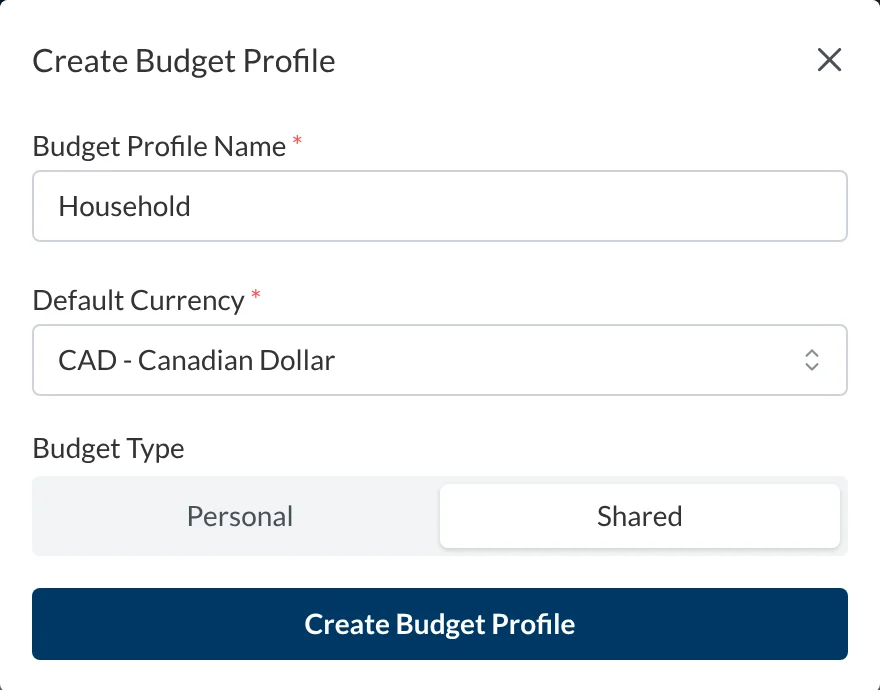
Open the app menu and choose New Budget. Name it Household and set the type to Shared, then add your joint account to it. Then invite your partner from Household Members in the same menu. You each sign in with your own login, on your own devices.
-
Create a personal budget for each of you
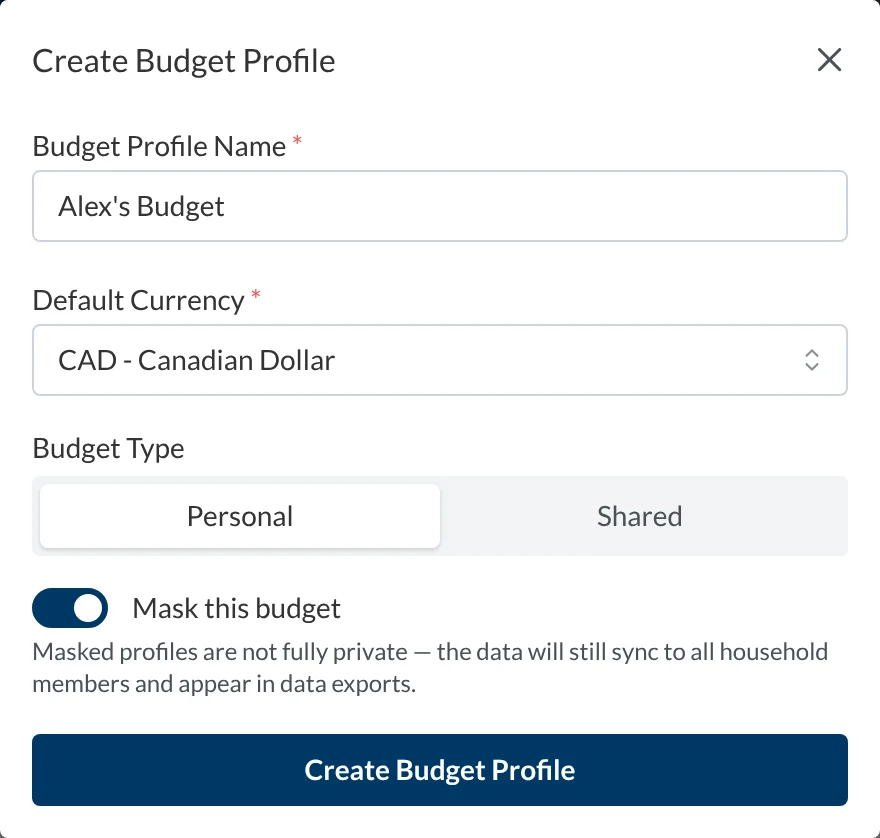
Each partner creates a Personal budget with their own chequing account, here Alex's Chequing and Sam's Chequing. Turn on Mask this budget if you'd rather your partner didn't see the details.
-
Your paycheque lands in your own budget
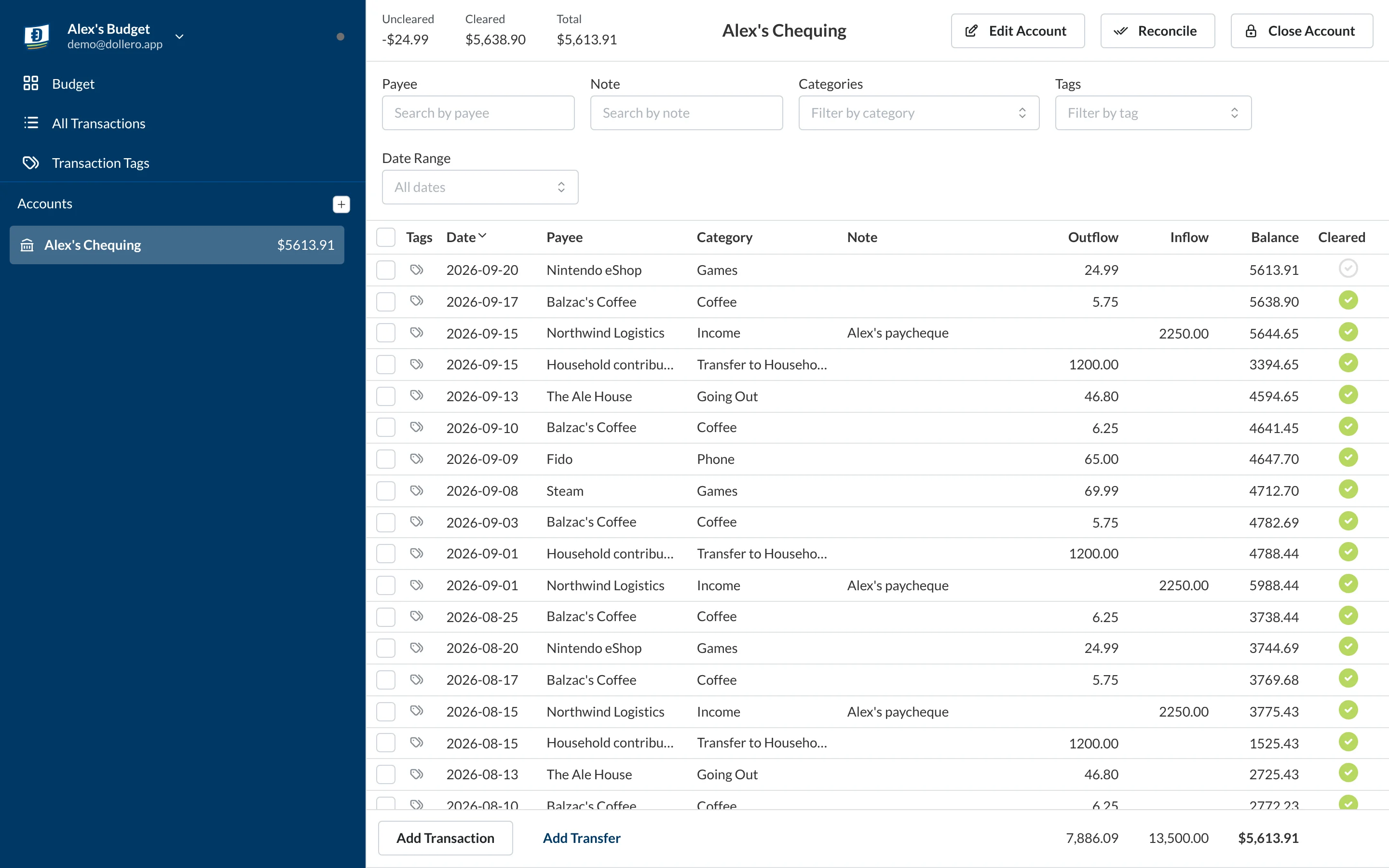
Alex's paycheque goes into Alex's Chequing, in Alex's Budget, and so does every personal purchase. Sam's does the same in Sam's Budget.
-
Budget your share first
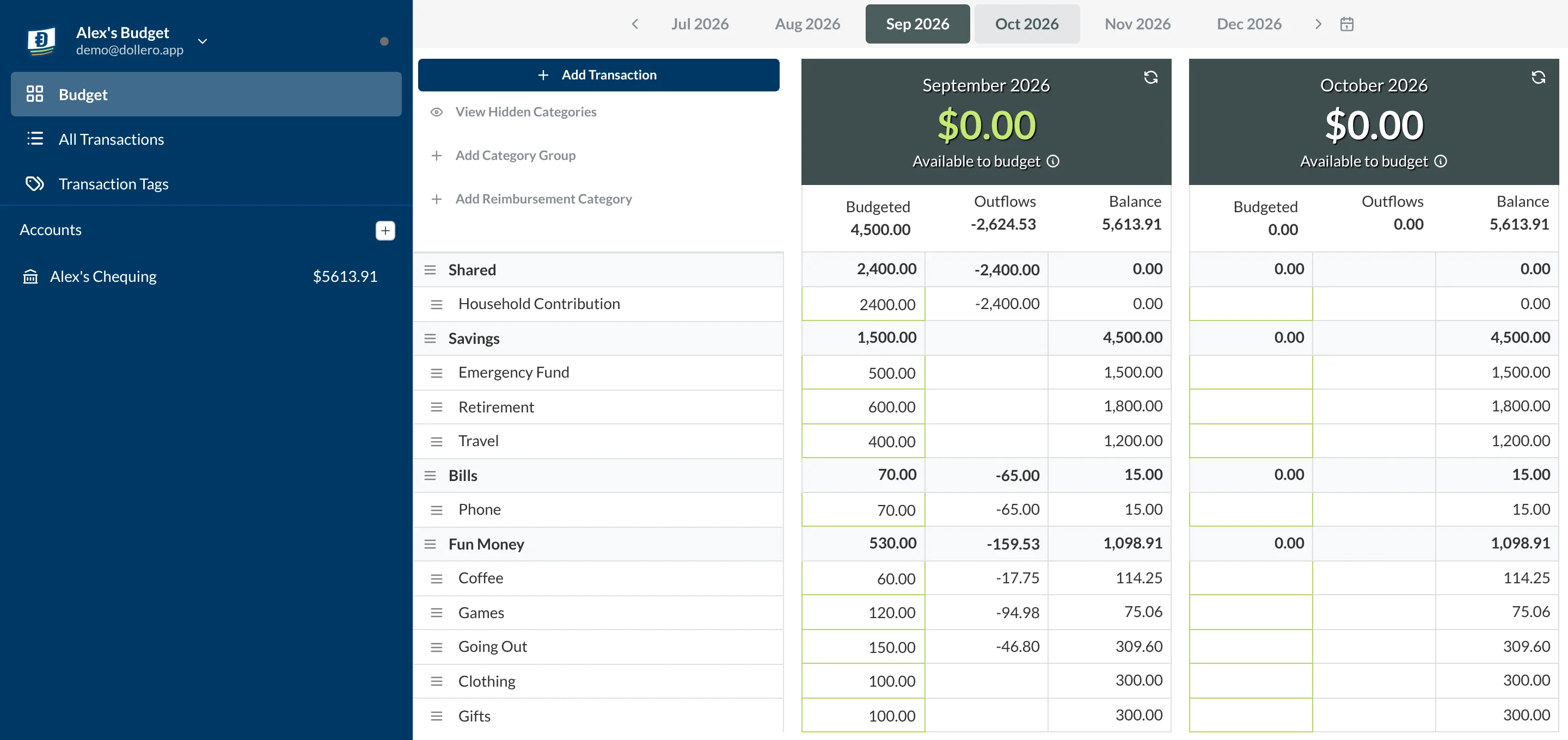
In your personal budget, give your contribution a category of its own, Household Contribution, and fund it before anything else. Alex budgets $2,400, then plans the other $2,100 across savings, a phone bill and fun money.
-
Send it to the Household budget
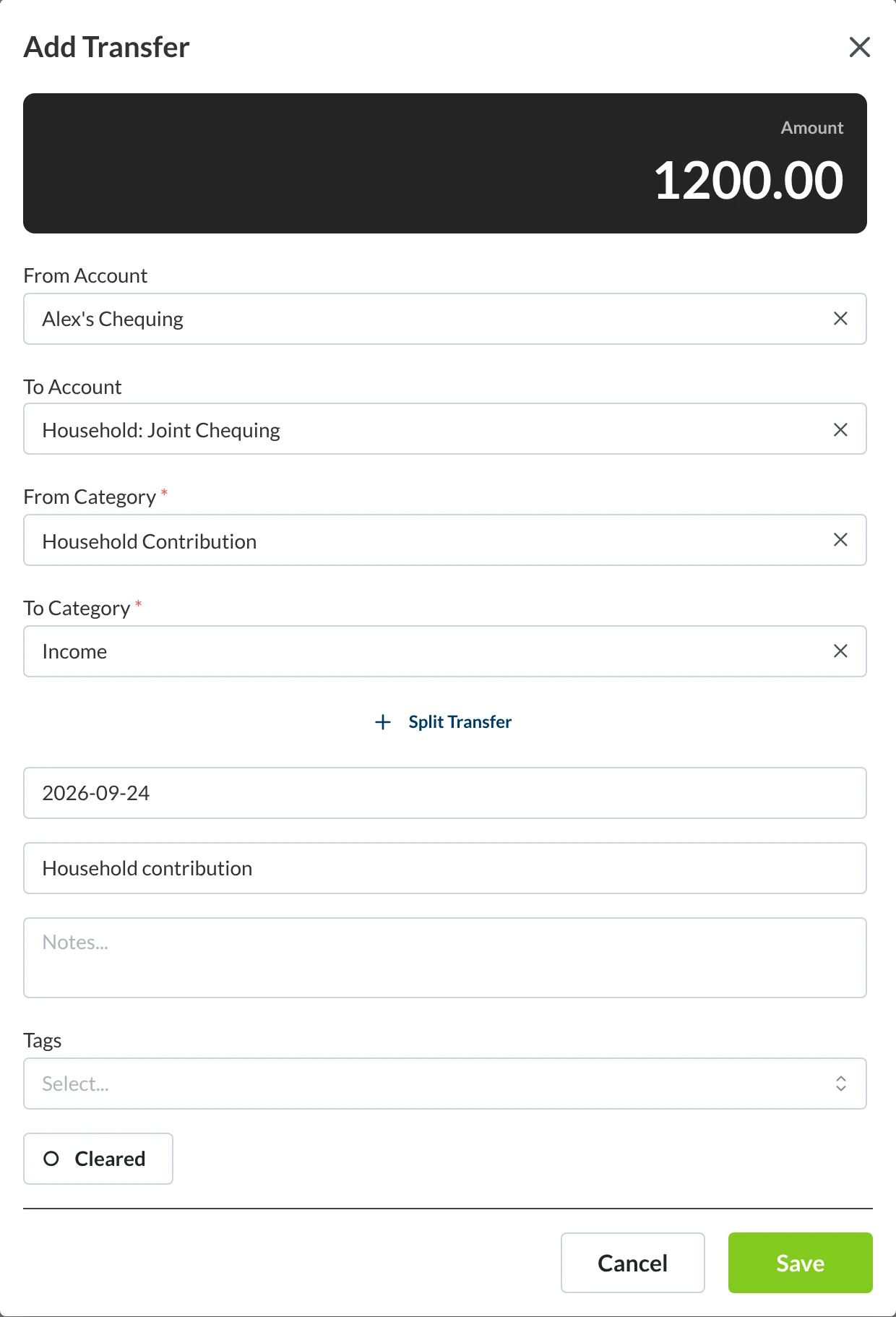
Each payday, open your account and choose Add Transfer. Under To Account, the Transfer to other profiles group lists the accounts in your other budgets. Pick Household: Joint Chequing, take the money from Household Contribution, and send it to Income so it's ready to plan in the Household budget. Alex sends $1,200 each payday, and Sam sends $800.
-
See it arrive
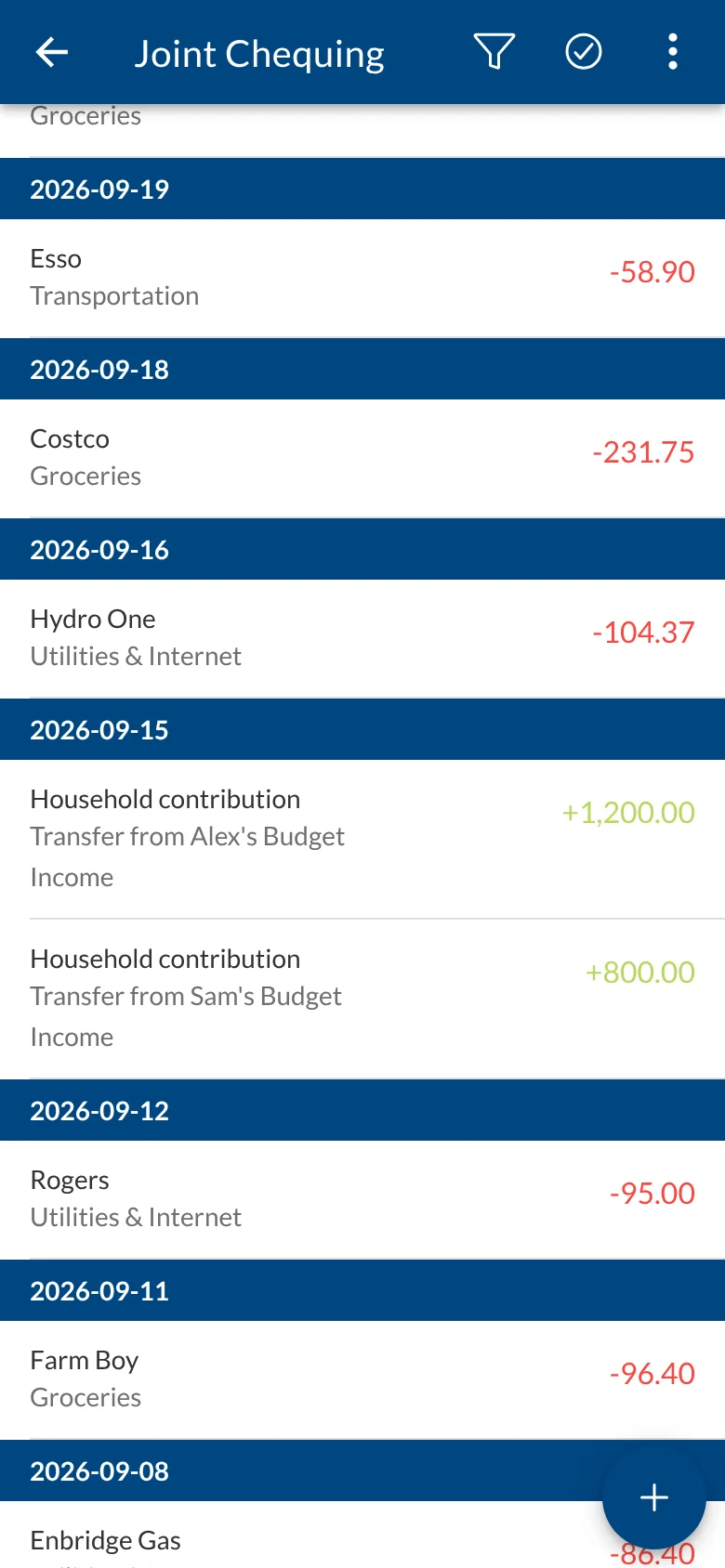
In the Household budget, the money shows up as Transfer from Alex's Budget and Transfer from Sam's Budget. Both budgets stay balanced.
-
Plan the shared bills together
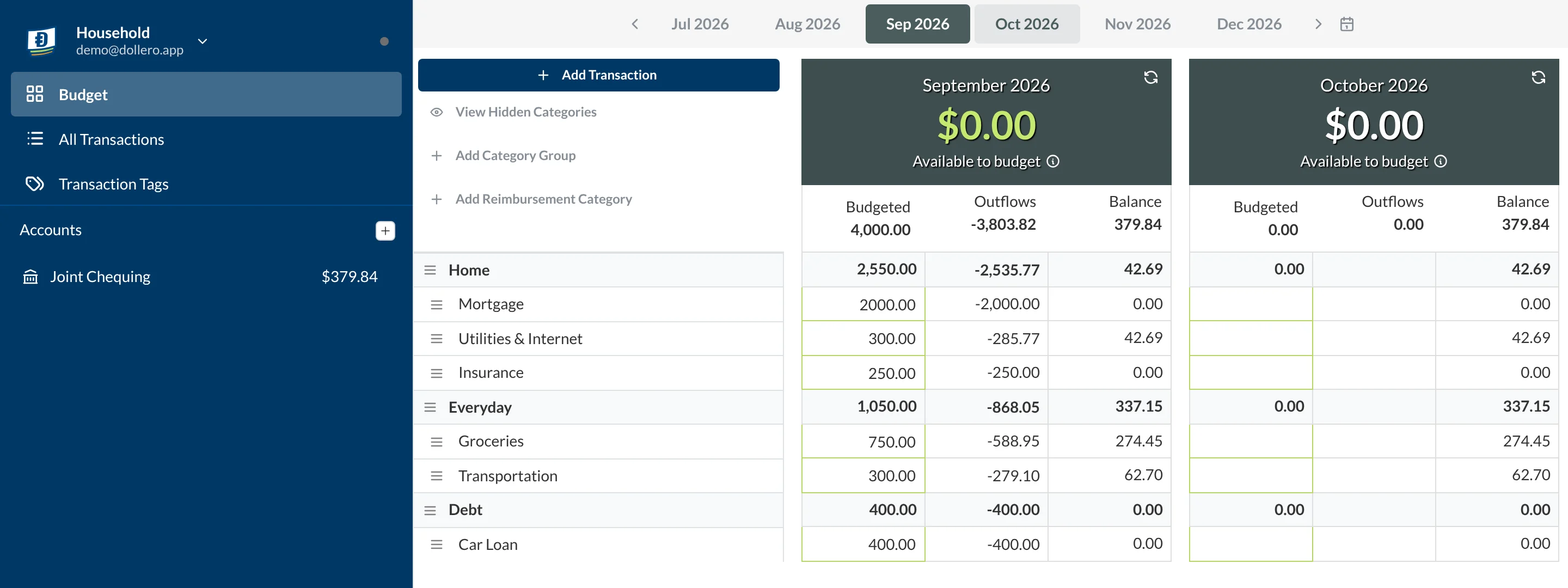
The Household budget holds only the $4,000 you both put in. Plan it across the shared bills until Available to budget reaches $0. Whatever you didn't contribute is yours to plan in your own budget.
Getting started this month
- Open a joint account for the shared bills.
- List your shared expenses and total them.
- Decide how to split them: 50/50, or by each person's share of income.
- In Dollero, create a shared Household budget and invite your partner, then each create a personal budget.
- Add a Household Contribution category to each personal budget, and transfer it to the Household budget each payday.
- Revisit the split whenever either of your incomes changes.
Your first few budgets won't be perfect, and that's fine. What matters is that the shared bills are covered and you both agree the split is fair.
The other options
-
Option 1 Recommended
Joint, with money of your own
Both paycheques go into a joint account. You plan shared spending together, and each of you gets an equal personal amount to spend however you like.
- Paycheques go to
- The joint account
- Shared bills paid from
- The joint account
- Personal money
- An equal amount each, moved to your own budget
-
Option 2
Fully joint
Everything goes into one pot. Bills, savings and spending all come from the joint account, and you agree on big purchases together.
- Paycheques go to
- The joint account
- Shared bills paid from
- The joint account
- Personal money
- Planned together in the shared budget
-
Option 4
Split the bills and settle up
No joint account. Whoever pays a shared bill records the other half as owed, and you pay each other back during the month.
- Paycheques go to
- Your own account
- Shared bills paid from
- Whoever pays, split 50/50 or by income
- Personal money
- Everything that isn't a shared bill